
Sending Firebase Cloud Messaging Tokens to BigQuery






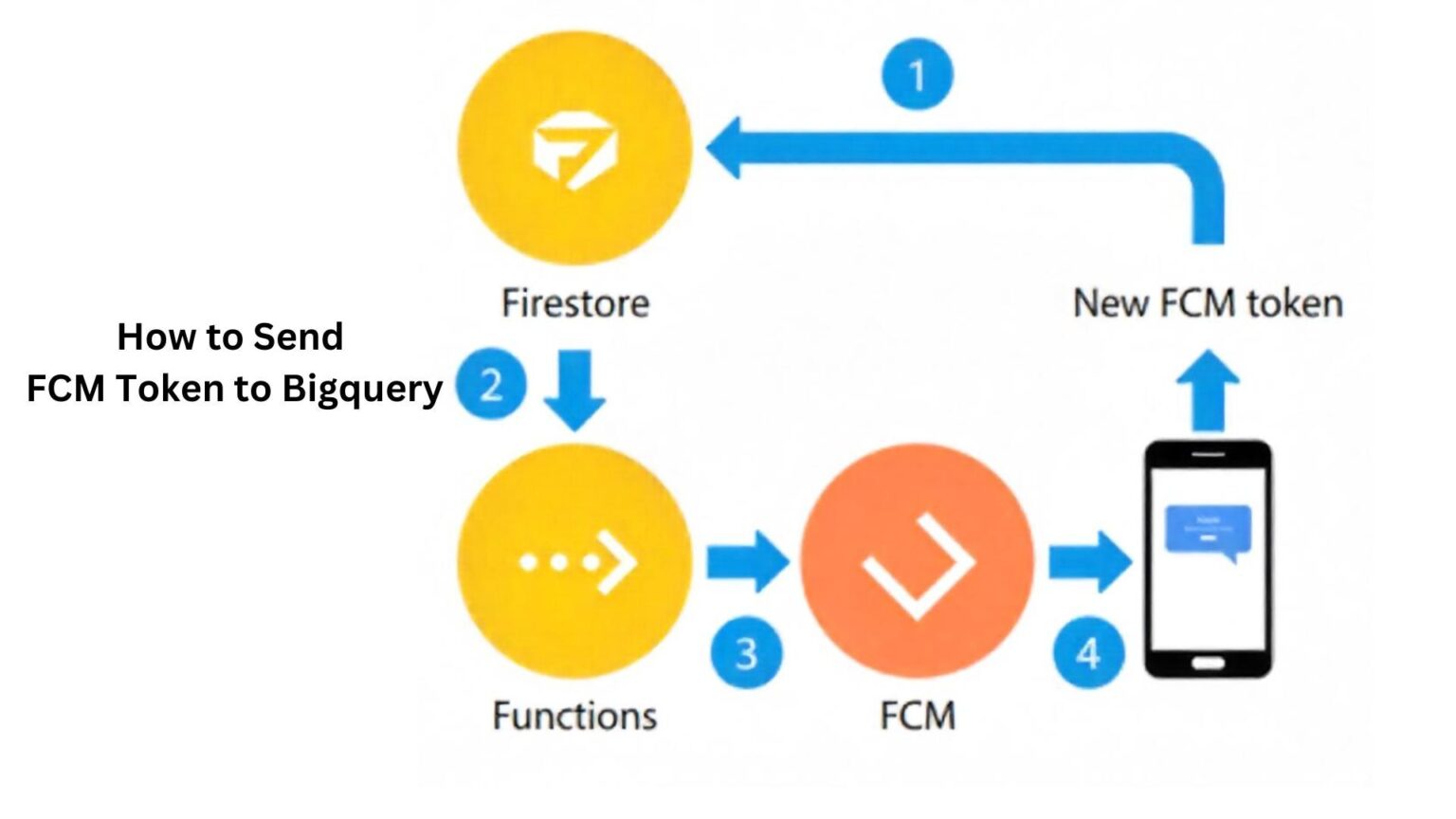

To collect and active your customer data – we highly recommend using a CDP tool – like Segment, Rudderstack, Jitsu. However, there are times when developers don’t like to add SDKs or there are inherent platform level limitations.

In such cases, you can retrieve the FCM data and send it directly to BigQuery (BQ) by writing some functions. If you haven’t set up BigQuery yet, you will need to do so first.
Step 1 Grab the FCM ID from Firebase
FirebaseMessaging.getInstance().getToken().addOnCompleteListener(task -> {
    String fcm_token = task.getResult();
    process(fcm_token)
}


Step 2 - Set the id and send it to destination
FCM token length | Setting and sending data for Android Apps
Firebase User Properties (On Android) support 36 characters limit. So, as a workaround, you can divide the token and add into a list. The length of FCM token is 163 characters, so you can divide it roughly into 6 parts as following.
FirebaseAnalytics mAnalytics;
mAnalytics = FirebaseAnalytics.getInstance(this);
for(int i = 0; i < processedTokenList(); i++){
  mAnalytics.setmAnalytics.setUserProperty("sp_id"+i, processedTokenList.get(i));
}
Setting and sending data for iOS Apps

For iOS, it’s quite simple, you can just set user properties – as outlined in this guide.
Once you are done, to verify your implementation, go to the debug view of the firebase. Thereafter, the data will start flowing to BigQuery.
Once you do that, you’d be able to reach out to this user by directly sending them the notification.
Related Posts

Understanding Data Processing: Definition, Methods, and Importance
Data processing is a fundamental aspect of computer systems and plays a crucial role in handling and analyzing data. In this article, we will explore...